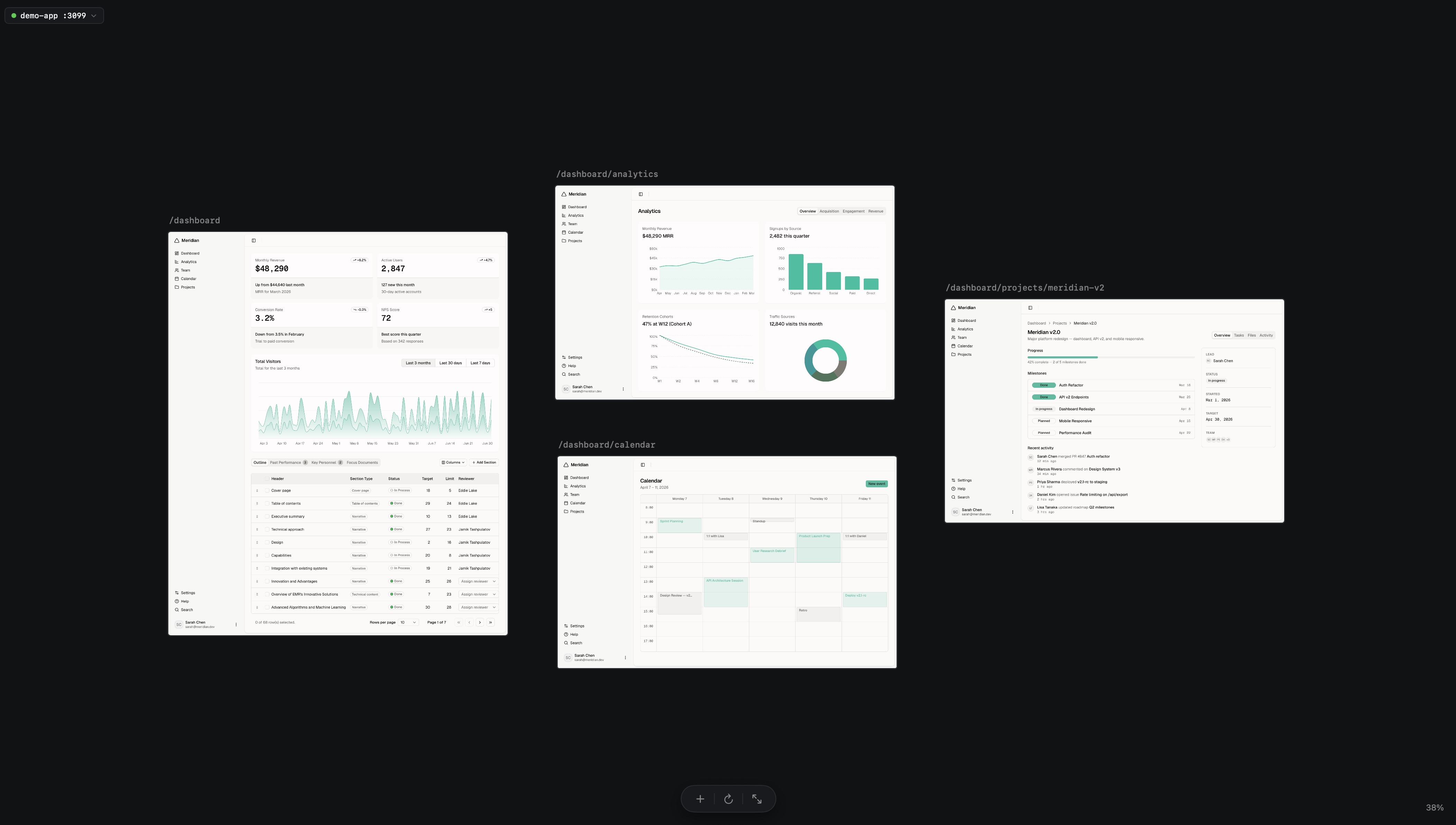


One canvas.
Every screen your AI builds.
See every route of your app side by side. Prompt your agent, the canvas updates live.
Free and open source. For macOS 14 and later.
Official Mac download: 0.6.2 (10). The source includes later changes.
Any AI Agent
Claude Code, Cursor, Conductor — drive the canvas with MCP
Your agent drives the canvas from your editor. Claude Code, Cursor, Codex, Conductor — use MCP to add pages and capture screenshots from your terminal. Capabilities vary by app and bridge version.


Multi-Viewport
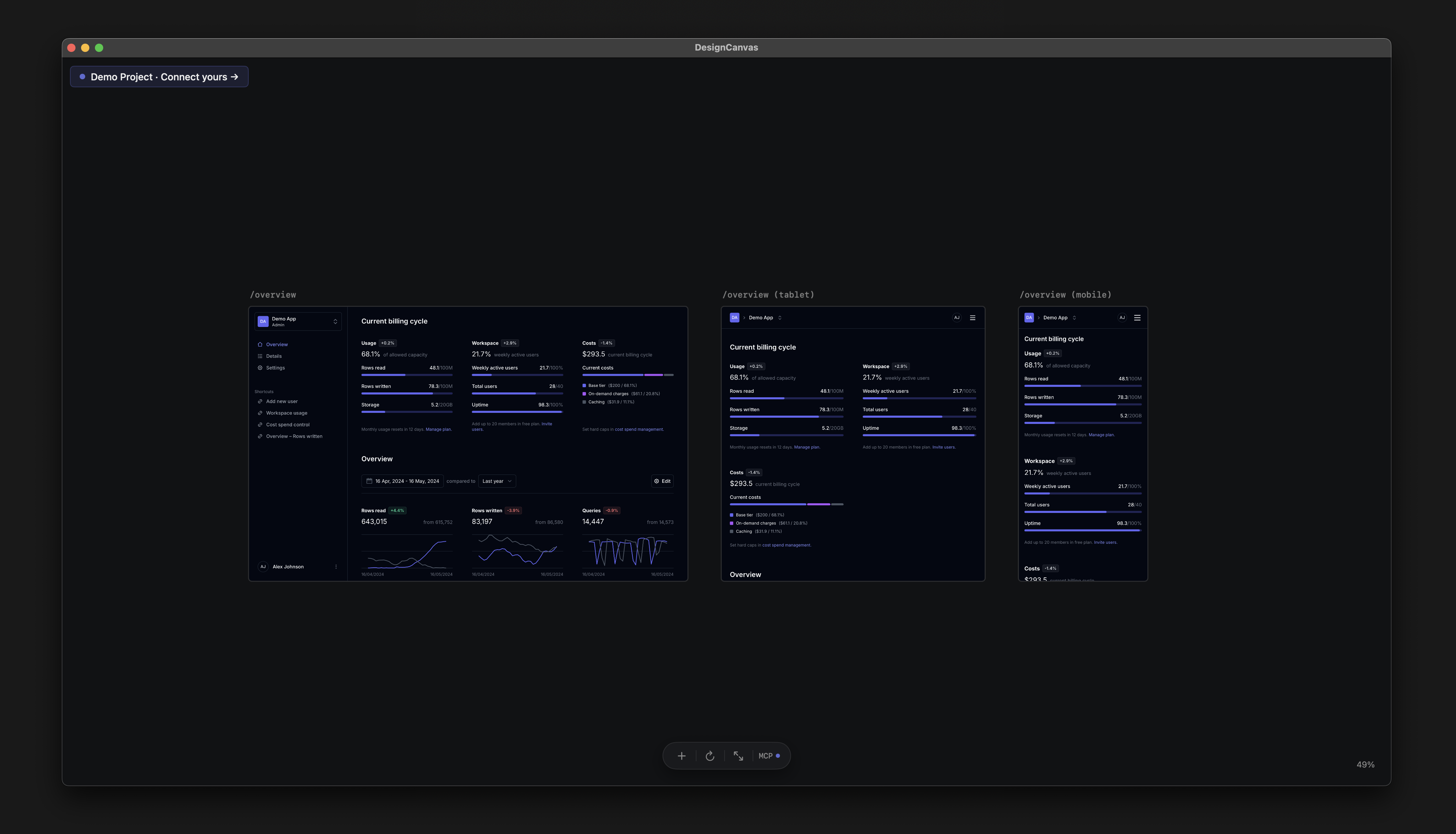
Desktop, tablet, mobile — side-by-side
Render the same screen across every viewport at once. Catch the responsive break the AI missed before you ship.
I built Design Canvas because I wanted a Figma-like infinite canvas for the apps I'm building. One view to visually iterate, compare every screen, and design and code faster with AI — without leaving my editor.

Agent Control
Your AI agent controls the canvas.
Claude Code, Cursor, Conductor — any MCP-compatible agent drives the canvas through MCP. List pages, add routes and capture screenshots.
Example MCP workflow
$ npx design-canvas-mcp

> Tell Claude: "Add /settings and /billing to the canvas"

✔ list_routes        → 12 routes available
✔ add_route          → /settings at (1200, 400)
✔ add_route          → /billing  at (1600, 400)
✔ capture_canvas     → screenshot saved
Capabilities depend on your app and MCP versions. Check the repository for current source support; the Mac download may differ.
Why prompt-to-UI is broken without a canvas
Every prompt produces a version. Don't lose them in scroll-back.
Every prompt, a frame
Each agent output becomes a live webview on the canvas. No chat scroll-back.
Panning is version history
Zoom out to see every iteration at once. A/B directions spatially.
Pick the winner, ship it
Flag the frame you want. Your agent iterates on that version via MCP.
Your AI agent controls the canvasvia MCP
Add routes, capture screenshots, compare viewports — all from Claude Code or Cursor.
Or do it all directly in the app.
FAQ
Questions we hear a lot
Do I prompt in DC?
Not yet — you prompt in your AI agent. DC shows every result. Prompt-in-canvas is on the roadmap.MCP setup?
npx design-canvas-mcp— one command.Windows / Linux?
The native app requires macOS 14 or later. You can browse the source on any platform.
Ready to see your app?
Point Design Canvas at your dev server. Every page appears, live, on an infinite canvas.
Free and open source. For macOS 14 and later.
Official Mac download: 0.6.2 (10). The source includes later changes. See the changelog and repository for version details.